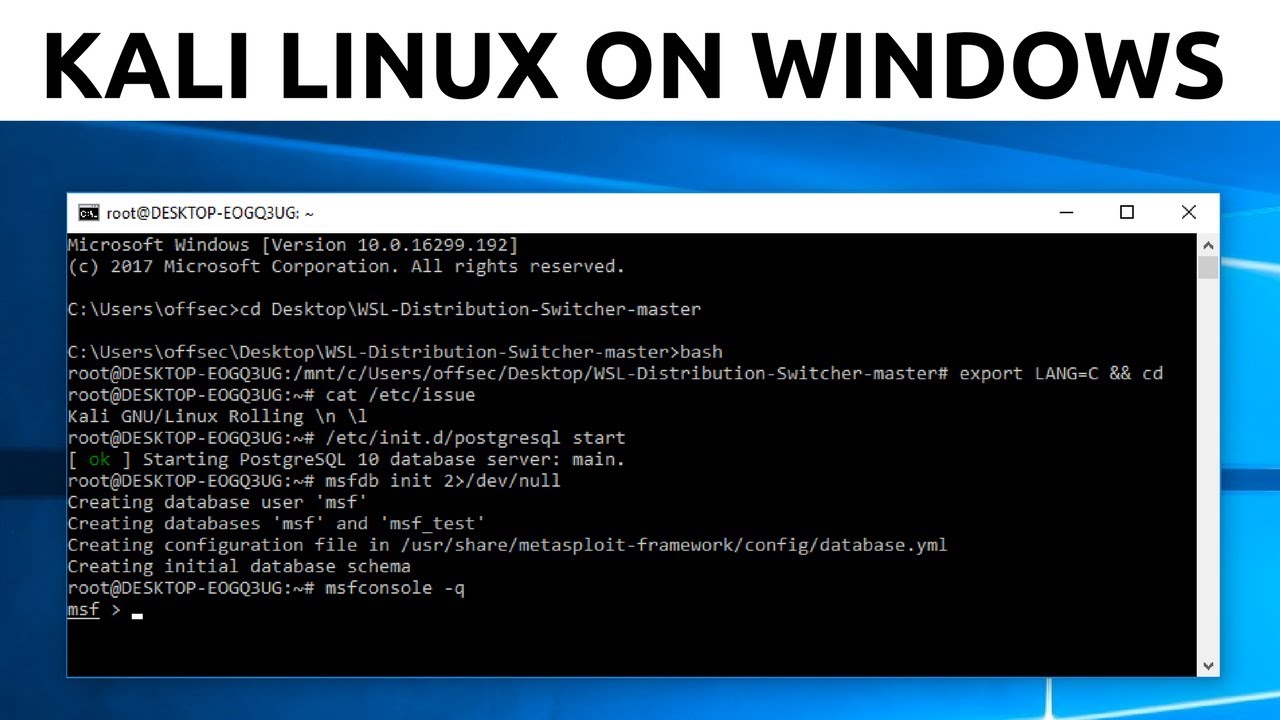
How To Install Kali Linux On Windows 10 - Windows Subsystem For Linux
Keywords
Summary
171 words
Critical Evaluation
Value of the Information & Strength of the Argument
The video provides a valuable, hands-on method for installing Kali Linux without dual-booting or virtual machines, which is a significant time-saver for Windows users. The argumentation is solid, as each step is demonstrated live, and potential pitfalls (like needing admin privileges and enabling WSL first) are clearly explained. The use of a third-party tool (WSL-Distribution-Switcher) is justified and the commands are provided, enhancing reproducibility. The tutorial is logical and builds on prior knowledge, making it accessible for moderately technical users. However, the video does not discuss performance limitations or alternative official methods (like using the Microsoft Store at the time), which could be seen as a minor gap.
Scientific Rigor, Source Quality, Title Accuracy
The presentation is methodical and the steps are visually confirmed. The primary source is the GitHub repository linked in the description, which is the actual tool used. The description also contains affiliate links (PureVPN, Udemy) but these are not used in the tutorial. The title accurately reflects the content. The method is specific to the 2018 version of WSL (legacy) and may not work on newer versions, but the video is dated and the context is clear. Comments indicate some users encountered minor issues (e.g., lxrun not recognized), but the host addresses the need for enabling WSL first. Overall, the sources are appropriate and the tutorial is reliable for its time period.
235 words
Title / Content Match
The title exactly matches the content: a step-by-step guide to installing Kali Linux on Windows 10 via the Windows Subsystem for Linux.
Quality & Reliability
8/10
The tutorial is clear and demonstrates each step with actual commands and screenshots. The method is somewhat dated (2018) and uses a third-party GitHub script, but the core steps are accurate and relevant, and potential issues (like enabling WSL) are addressed.
Key Moments
Markers derived by PSI from the transcript: the creator did not define chapters.
- Introduction and prerequisites (Windows 10 latest, Python 3, Git)
- Enabling Windows Subsystem for Linux via Control Panel
- Installing base Ubuntu distribution using lxrun /install
- Cloning the WSL-Distribution-Switcher GitHub repository
- Downloading the Kali Linux Docker rootfs with get-prebuilt.py
- Installing the rootfs and setting default user to root
- Launching bash and verifying Kali Linux version
Cited Sources
- WSL-Distribution-Switcher (GitHub) — Tool used to download and install Kali Linux as a WSL distribution.
Concurring Sources
- Kali Linux Documentation — Official documentation for Kali Linux, confirms the distribution's purpose and typical installation methods.
Dissenting Sources
- Microsoft Store method — Some comments note that Kali later became available directly from the Microsoft Store, which is a simpler official method; the video predates that.
External References
Contribution & Novelties
The video offers a practical workaround for installing Kali Linux on Windows 10 in a lightweight subsystem, avoiding the overhead of a VM. The novelty lies in leveraging a third-party script to swap the base WSL distribution to Kali. It demonstrates a flexible approach that can be extended to other distros.
Pour aller plus loin :
- Windows Subsystem for Linux documentation — Official Microsoft docs on WSL, modern installation methods.
- Kali Linux official documentation — Official Kali setup and usage guides.
- WSL-Distribution-Switcher GitHub repository — The exact tool used, for reference and updates.
93 words
Radar Profile
The radar profile shows high scores in quantitative and qualitative information, reflecting a detailed and accurate tutorial. Technical level is moderate, suitable for intermediate users, while reliability is slightly lower due to the reliance on a third-party tool and the age of the video.
💬 The overall sentiment is positive, with most users finding the tutorial helpful and successful. Some encountered minor issues (e.g., lxrun not recognized), but these were often resolved by following the prerequisites. On the 30 comments analyzed, the general tone is appreciative and constructive.