8) QTCAD Visualizer NaN Issue and Usage
Keywords
Summary
105 words
Critical Evaluation
Value of the Information & Strength of the Argument
The video provides practical value for QTCAD users by troubleshooting a common visualization problem and demonstrating features not covered in the quick overview. The argumentation is based on direct experimentation: the author first shows the error, then systematically fixes it, and finally validates the solution. The explanation of why certain settings (WebGPU, ignore-blocklist) work is concise and clear. The emphasis on interactive Python usage allows viewers to follow along in real time.
Scientific Rigor, Source Quality, Title Accuracy
The tutorial is rigorous in its demonstration, but it relies on the official QTCAD documentation and the author’s own testing. No external sources or links are provided in the description, so claims cannot be independently verified. The title is accurate and specific, though the video also covers general usage beyond the NaN fix. No community feedback is available to gauge broader reception.
149 words
Title / Content Match
The title accurately reflects the content: it covers the NaN issue with the visualizer and how to use it.
Quality & Reliability
8/10
The tutorial is clear, step-by-step, and directly addresses practical issues (NaN error, browser compatibility). It is based on official QTCAD documentation and personal testing, but no external sources are cited.
Key Moments
Markers derived by PSI from the transcript: the creator did not define chapters.
- Introduction to QTCAD and tutorial objectives.
- Setting up Python environment interactively and defining paths.
- Loading the mesh and showing the structure with mesh.show().
- Creating the device and encountering a NaN error in the visualizer.
- Installing Firefox Nightly and enabling WebGPU flags to fix the issue.
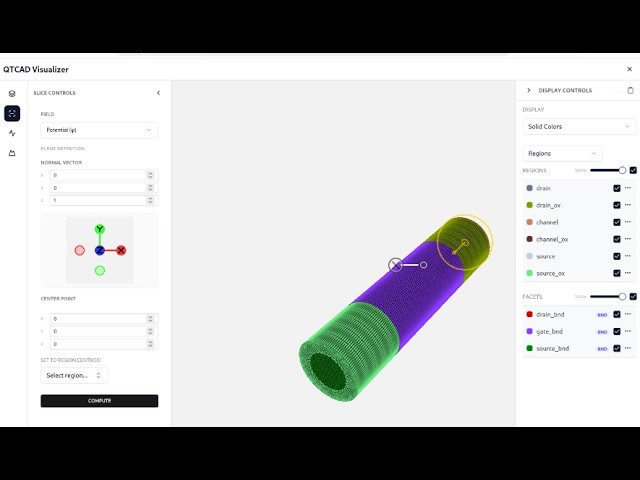
- Visualizing the device, toggling materials, and using camera controls.
- Performing slicing and 2D contour visualizations.
- Extracting 1D line cuts and exploring iso surfaces.
Contribution & Novelties
This video fills a practical gap for QTCAD users by addressing a specific rendering failure (NaN) and showing workarounds. It systematically walks through enabling WebGPU in Firefox Nightly, which is essential for the 3D visualizer. The step-by-step demonstration of slicing, contours, and line cuts provides a valuable reference for interpreting simulation results.
Pour aller plus loin :
- Schrödinger equation — Relevant because the QTCAD Schrödinger solver is used in the simulation context.
- Poisson equation — The Poisson solver is fundamental to the device simulation.
- Quantum dot — The nanowire quantum dot is the specific device simulated.
96 words
Radar Profile
The profile shows high technical level and moderate to high quantity/quality of information, with slightly lower reliability due to lack of independent sources. The video is highly focused and practical, making it valuable for learners but requiring prior knowledge.