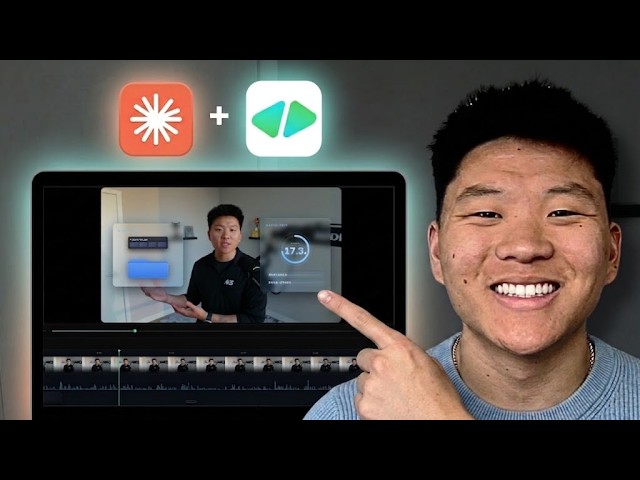
Claude Video Editing Just Became Unrecognizable
Keywords
Summary
174 words
Critical Evaluation
Value of the Information & Strength of the Argument
The video provides a high-value, practical demonstration of a novel AI-driven video editing pipeline. The argumentation is solid: the creator shows real examples of before/after edits, compares two tools (HyperFrames vs Remotion) with visual evidence, and explains the reasoning behind his choices (e.g., preferring HyperFrames for its HTML-based animations). He also addresses potential limitations, such as token usage and the need for iterative refinement. The step-by-step approach is clear and actionable, making the information accessible even to non-coders. The creator’s enthusiasm is backed by concrete results, strengthening the credibility of the claims.
Scientific Rigor, Source Quality, Title Accuracy
The video references two open-source GitHub repositories (HyperFrames and video-use) and provides links in the description. The creator also mentions using 11 Labs API for transcription, but does not provide a direct link. The title accurately reflects the content, which is a tutorial on using Claude for video editing. The video includes a sponsored segment (approximately 30 seconds) for a voice-to-text tool, which is disclosed. The creator’s claims about the tools’ capabilities are based on his own testing, but no independent verification is provided. The description includes affiliate links and promotional material, which should be considered when evaluating the objectivity of the content.
210 words
Title / Content Match
The title accurately reflects the content: the video demonstrates how Claude Code, combined with HyperFrames and video-use, can automate video editing end-to-end.
Quality & Reliability
7/10
The video provides a practical, step-by-step tutorial with clear demonstrations and comparisons. The creator shows real outputs and discusses limitations (e.g., token usage, need for iteration). However, it is promotional in nature, with affiliate links and a sponsored segment, and lacks independent verification of claims.
Chapters
Cited Sources
- HyperFrames GitHub repository — Open-source tool for motion graphics, used in the pipeline.
- video-use GitHub repository — Open-source tool for video trimming and editing, used in the pipeline.
- Free AI OS Course (Skool community) — Free community where the HyperFrames student kit is available.
- Full courses + unlimited support (Skool community) — Paid community for additional support and resources.
- Voice-to-text tool (Glaido) — Tool used by the creator for voice-to-text, mentioned in the tutorial.
- Hostinger VPS (affiliate) — Affiliate link for VPS hosting, mentioned in the description.
- Podcast application — Link to apply for the creator's podcast.
- Work with me (Uppit AI) — Link to the creator's agency.
- LinkedIn profile — Creator's LinkedIn profile.
Concurring Sources
- HyperFrames GitHub repository — The tool is open-source and actively maintained, supporting the claims made in the video.
- video-use GitHub repository — The tool is open-source and provides the trimming functionality described.
Contribution & Novelties
The video demonstrates a novel integration of Claude Code with two open-source tools (HyperFrames and video-use) to create a fully automated video editing pipeline. This is a significant advancement over previous workflows that required manual trimming or separate animation tools. The creator provides a practical, step-by-step guide that is accessible to non-coders, and he shares his prompting strategies and style-teaching techniques. The comparison between HyperFrames and Remotion offers valuable insights for users choosing between these tools.
Pour aller plus loin :
- Claude Code documentation — Official documentation for Claude Code, the orchestrator used in the workflow.
- Remotion — A framework for creating videos programmatically with React, used as an alternative to HyperFrames.
- Whisper (OpenAI) — An open-source speech recognition model used for transcription in the pipeline.
- ElevenLabs API — API for text-to-speech and transcription, mentioned as an option for transcription.
140 words
Radar Profile
The radar profile shows high scores in quantity and quality of information, reflecting the detailed tutorial and practical examples. The technical level is moderate, suitable for intermediate users. The global reliability is slightly lower due to the promotional nature and lack of independent verification.
💬 Très positif : Sur les 30 commentaires analysés, la grande majorité exprime un enthousiasme marqué pour la démonstration et la clarté du tutoriel, avec plusieurs témoignages d'utilisateurs ayant réussi à créer leurs propres vidéos. Quelques commentaires mentionnent des préoccupations sur la consommation de tokens et la courbe d'apprentissage, mais restent constructifs.