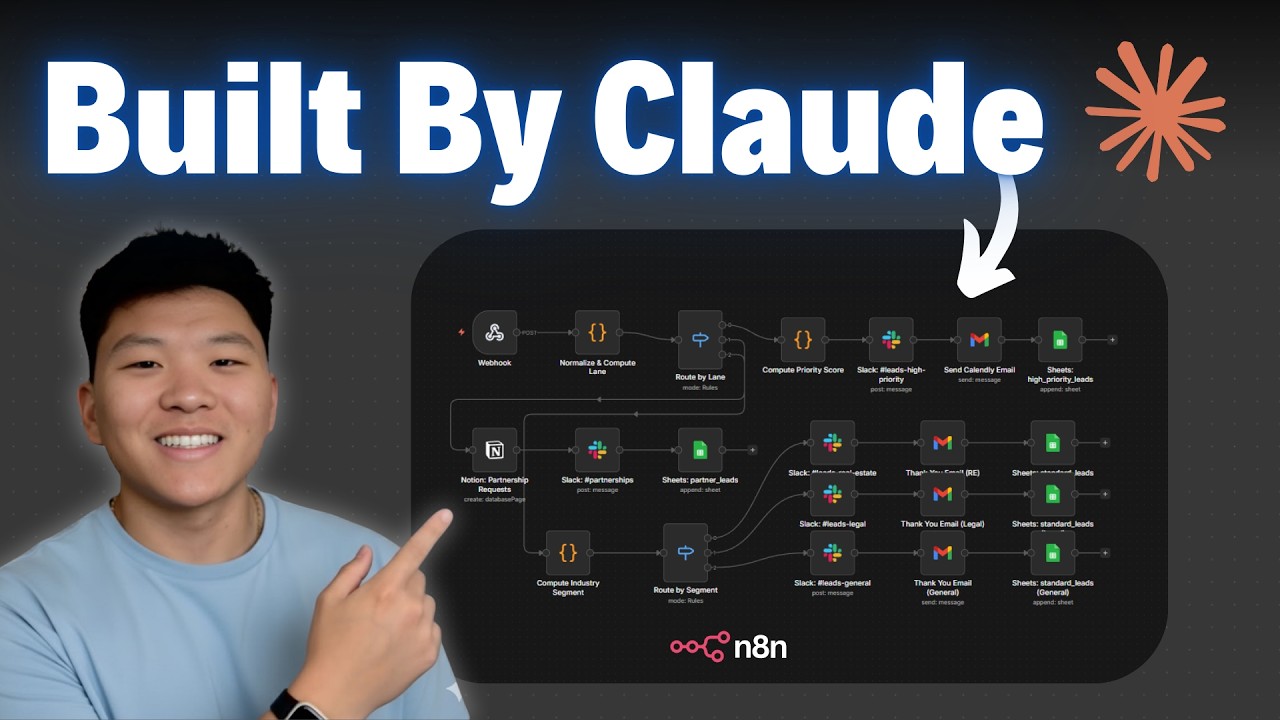
Claude Code is Better at n8n than I am (Beginner's Guide)
Keywords
Summary
187 words
Critical Evaluation
Value of the Information & Strength of the Argument
The video provides high practical value for beginners, offering a clear, step-by-step guide that demystifies Claude Code and its integration with n8n. The argumentation is solid: the creator demonstrates the workflow live, showing both successes and minor issues, which builds credibility. He explains the underlying concepts (MCP server, skills, system prompts) in an accessible way, making the case that this approach is more efficient than manual n8n building. The tutorial is well-structured, with a logical progression from setup to execution, and includes useful tips like using plan mode and bypass permissions. The creator also addresses potential concerns (e.g., security, throttling) based on viewer feedback, showing responsiveness. However, the argumentation is largely anecdotal, based on personal experience, and does not provide comparative benchmarks or independent validation.
Scientific Rigor, Source Quality, Title Accuracy
The tutorial is scientifically rigorous in its methodology: it clearly explains the tools used, provides links to the relevant GitHub repositories (n8n MCP server and n8n skills), and demonstrates the process in a reproducible manner. The creator is transparent about limitations, such as n8n throttling and the need to connect credentials. The title accurately reflects the content, and the tutorial stays on-topic. The sources cited are primarily the GitHub repos and the creator’s own resources (courses, tools), which are relevant but not peer-reviewed. The creator does not claim scientific validity, but rather practical utility. The adéquation between title and content is strong, with the video delivering exactly what it promises: a beginner’s guide to using Claude Code for n8n.
259 words
Title / Content Match
The title accurately reflects the content: a beginner-focused guide showing how Claude Code can build n8n workflows, with a personal comparison implied by the demo.
Quality & Reliability
8/10
The tutorial is clear, practical, and based on direct experience. It demonstrates a reproducible setup with specific tools (Claude Code, n8n MCP server, n8n skills) and provides step-by-step instructions. The creator acknowledges limitations (e.g., n8n throttling) and encourages verification. However, it is primarily a personal workflow demonstration without independent validation or peer review.
Chapters
Cited Sources
- n8n MCP server (GitHub) — Referenced in the video as the MCP server that connects Claude Code to n8n, providing node coverage and workflow templates.
- n8n skills (GitHub) — Referenced as the skills repository that teaches Claude Code how to use n8n nodes and expressions.
- Claude Code — The main tool used in the tutorial, accessed via VS Code extension.
- Visual Studio Code — The IDE used to run Claude Code.
- n8n — The workflow automation platform that Claude Code is configured to build workflows for.
Concurring Sources
- n8n MCP server (GitHub) — The video references this repository as the source for the MCP server, which is consistent with community usage.
- n8n skills (GitHub) — The video references this repository for the skills, which are widely used in the n8n community.
Dissenting Sources
- Community concern about telemetry — One commenter noted that the MCP server sends telemetry data to the developer, which could be a privacy concern for business users. This is not mentioned in the video.
External References
Contribution & Novelties
The video provides a practical, step-by-step guide that combines Claude Code with n8n MCP server and skills, offering a novel approach to building n8n workflows via natural language. It demonstrates how to set up a project with a claude.md system prompt, install MCP servers and skills, and use Claude Code to create, validate, and deploy workflows. This is particularly valuable for beginners who find n8n’s visual interface intimidating. The tutorial also highlights the importance of clear communication and iterative planning, which is a key insight for AI-assisted development.
Pour aller plus loin :
- Claude Code documentation — Official documentation for Claude Code, covering setup, usage, and best practices.
- MCP (Model Context Protocol) — The protocol that enables Claude Code to interact with external tools like n8n.
- n8n documentation — Official n8n documentation for understanding nodes, workflows, and expressions.
- Anthropic’s Claude models — Information about the AI models used in Claude Code.
151 words
Radar Profile
The radar profile shows high scores in information quantity and quality, reflecting the tutorial's comprehensive and practical content. The technical level is moderate, suitable for beginners, while reliability is slightly lower due to the lack of independent validation. Overall, the video is a strong educational resource for its target audience.
💬 Très positif. Sur les 30 commentaires analysés, la grande majorité exprime une forte appréciation, soulignant la clarté du tutoriel et son utilité pratique, avec quelques réserves sur la sécurité et la télémétrie.